 |
 The CAD Lab Academic Server |
Welcome to the Mapping CAD Lab Drives Help!
CAD Lab Drive Mapping Help:
Mapping CAD Lab Network Drives from a Laptop OR
O: for personal drive, V: for Distrib, W: for Submittal drive
|
Related Web Pages: |
 , go to “Tools” then “Map
Network Drive…”
, go to “Tools” then “Map
Network Drive…”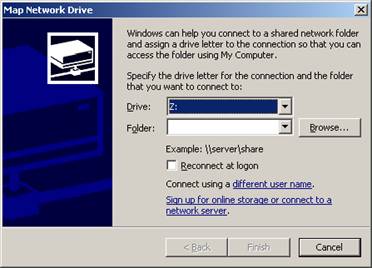
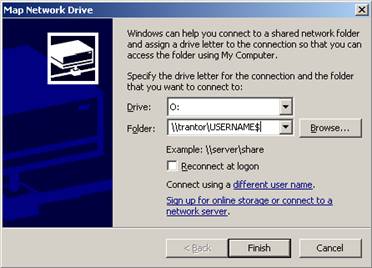
 |
|||
|
Last updated January 24, 2012 Comments, bug reports, suggestions to: wes.tanney@sheridanc.on.ca |
||